Parashara's Light, from GeoVision Software, is a long-standing desktop Jyotish program for Windows and Mac with a wide range of calculations, charts, tables and interpretive reports in English, Hindi and nine other Indian languages. Bodhlok is a browser-based desk built around the consultation: the running dasha on every screen, client notes beside the chart, and consult answers that show the
A research classic and a consultation desk
Parashara's Light has been on astrologers' computers for a long time, and for good reason. It is a deep calculation and research program: a huge range of charts, tables and settings that a serious student can explore for years. If you want to study one technique in every variation, it gives you room to do it.
Bodhlok starts from a different moment: the consultation. Alok Khandelwal, who practised and taught for 25 years before building it, describes the problem this way: software could calculate anything, but it could not keep up with a reading. A placement raises a question about the running dasha; the dasha makes you look at the transit; the transit sends you back to the chart. Bodhlok keeps that line on one desk.
What Parashara's Light does well
- Depth of calculation. It is known for its wide range of calculations, divisional charts, tables and research features, with many settings an advanced astrologer can adjust.
- Interpretive reports. It produces printed and on-screen interpretive reports that many practitioners give to clients.
- Windows and Mac. Version 9.0 is available for both Windows and Mac, which sets it apart from Windows-only tools such as Jagannatha Hora.
- Many languages. The publisher offers it in English, Hindi, Gujarati, Marathi, Odia, Bengali, Assamese, Kannada, Tamil, Telugu and Punjabi.
- A one-time licence. You buy the edition you need and own it, and it works offline.
Where Bodhlok is different
- Browser, any device. Nothing to install, continuously updated, the same desk on a PC, a Mac or a tablet, and the same charts and notes wherever you sign in.
- The question decides the screen. One native, one calculation profile, every way of looking at the chart a click away: D1 with Bhava Chalit and Sudarshan Chakra, D2 to D60 with vargottama and varga strength, KP, Jaimini, Ashtakavarga and Shadbala, with the current dasha period visible throughout.
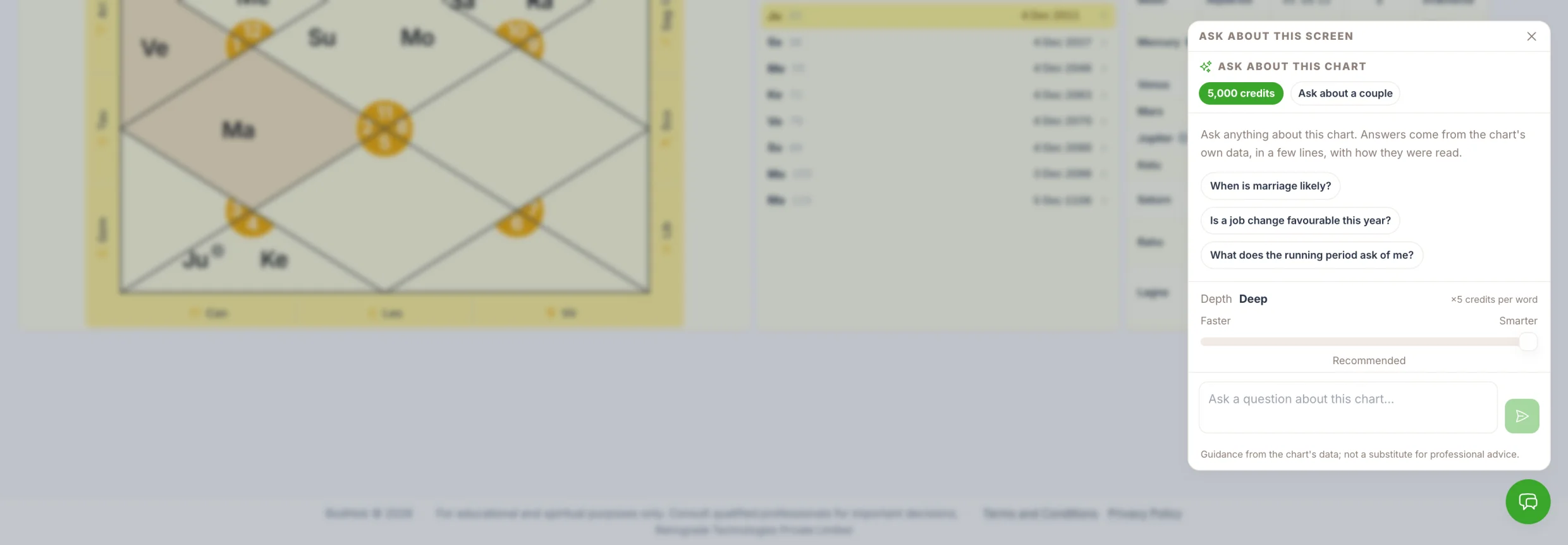
- Readings you can examine. Bodhlok's consult works in four layers in a fixed order: a calculation engine, a rule engine built on classical principles and Asttrolok's teaching framework, a context engine that picks what matters for the question, and only then a language model that writes the result in Hindi or English. Every answer lists what it read, so you can open the dasha, the transit or the rule and check it. The judgement stays with you.
- The practice around the chart. Client notes, consultation history, follow-ups, family links, bookings and a public astrologer page sit in the same product.
- Teaching a batch. Institutes can put fifty or more students on the same desk with seat blocks, so a class works from the same calculation settings.
Side by side
Parashara's Light | Bodhlok | |
|---|---|---|
Where it runs | Installed on Windows or Mac | Browser: Windows, Mac, tablet |
Best for | Research and detailed reports | Following one question through a consultation |
Languages | English, Hindi and nine other Indian languages | Hindi and English interface and consult answers |
Dashas | Wide range of dasha systems | Vimshottari, Ashtottari, Yogini, Chara to the pratyantar, current period on every screen |
Specialised methods | Extensive research options | KP 249 sub-lords, Jaimini, Bhrigu Nandi Nadi, Prashna, Tajik Varshaphala, Panch Pakshi |
Explanations | Interpretive reports | Consult answers that show the chart, dasha, transit and rule they used |
Client work | Saved charts and records | Notes, history, follow-ups, family links, bookings |
Shared teaching | One licence per computer | Seat blocks for a batch |
Offline | Yes | Needs a connection |
Which one fits
Choose Parashara's Light if you want the widest research toolkit on one computer, work offline, or rely on its interpretive reports in a regional language Bodhlok does not offer.
Choose Bodhlok if you consult on several devices, want the running period and the transit beside every chart during a reading, keep notes on returning clients, or teach a class that needs the same tools at home.
Plenty of astrologers keep Parashara's Light for research and use a browser desk for consultations. If you compare a chart in both, match the ayanamsa, time zone and coordinates first; small differences almost always come from those settings.
Try it on a chart you know
Take a sample chart you have already studied in Parashara's Light, open it on Bodhlok, and follow one question from the D1 to the dasha, the strength and the transit. Open your free desk at bodhlok.com.
Frequently asked questions
Is Parashara's Light available on Mac?
Yes. Parashara's Light 9.0 is available for both Windows and Mac. Bodhlok needs no installation at all, because it runs in the browser on either.
Does Parashara's Light have Hindi?
Yes. It is offered in English, Hindi and several other Indian languages. Bodhlok has a Hindi interface and Hindi consult answers on every plan.
What is an online alternative to Parashara's Light?
Bodhlok is browser-based professional Jyotish software with Parashari, KP and Jaimini charts, dashas to the pratyantar, transits, client notes and a consult that shows its reasoning. You can start with a free desk.
Why do charts differ between Parashara's Light and other software?
Usually because of settings: ayanamsa, time zone, daylight saving or birth place coordinates. Match those and the planetary positions should agree.
Compare on a real chart
Open a free desk, bring a sample chart, and see the calculations, timing tools and consult side by side with whatever you use today.