A page with your name on it
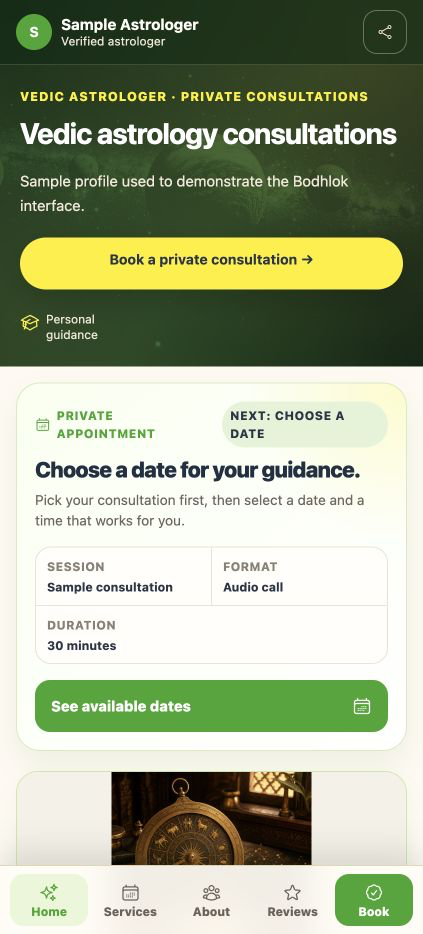
Present your experience, languages, specialties, consultation options and fees on a shareable profile. Your page becomes public after review and publication.
Give your practice a place online. Bring your public profile, consultation bookings, client records and chart work together on Bodhlok, with payment and earnings tools for verified practices where enabled.
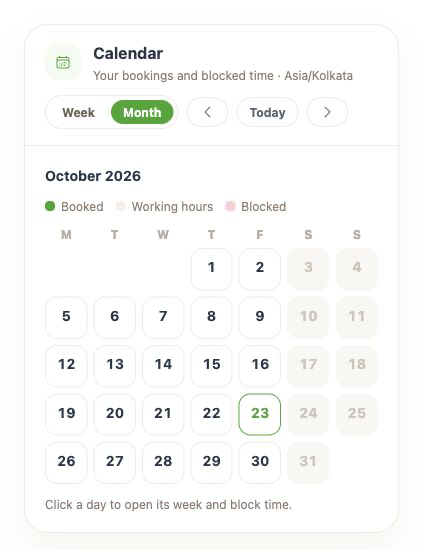
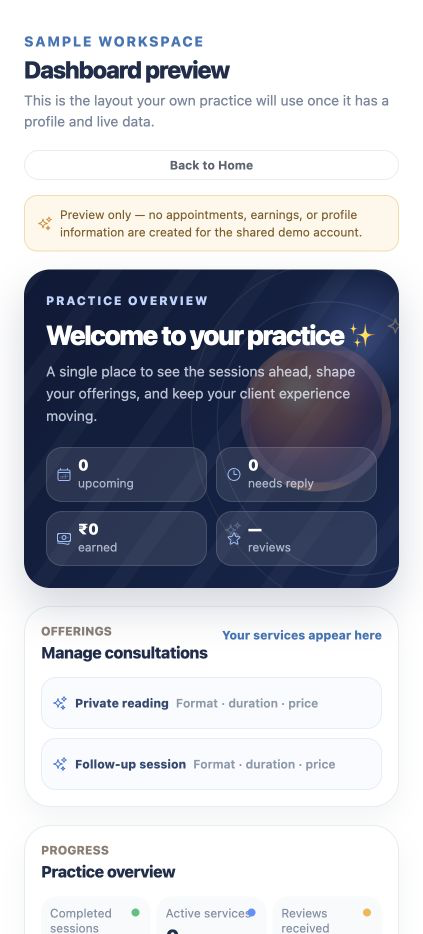
Actual Bodhlok interface · sample data
Present your experience, languages, specialties, consultation options and fees on a shareable profile. Your page becomes public after review and publication.
Set working hours and consultation durations. Clients can choose an available slot; requests are confirmed automatically or wait for your acceptance, according to your settings.
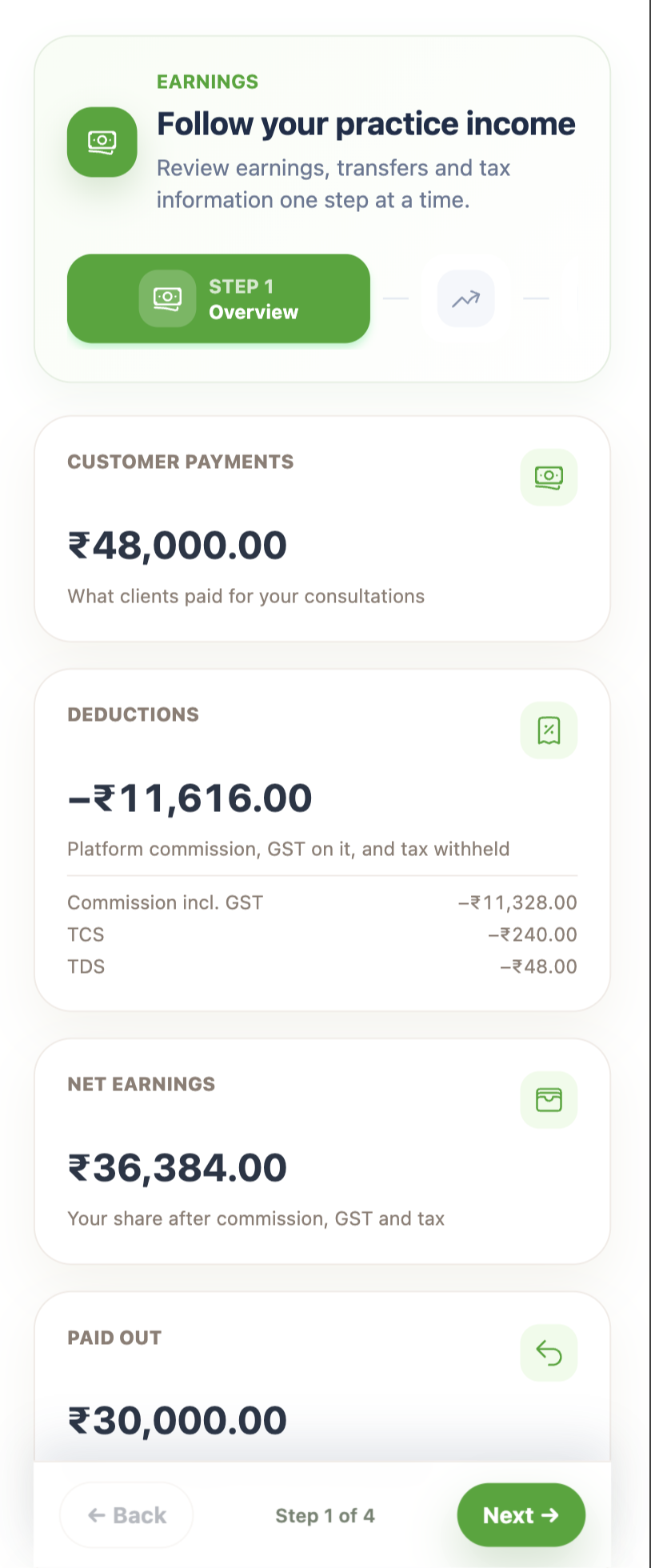
Where online payments are enabled, use Razorpay checkout and track booking charges, platform deductions and earnings. Bank payouts require verification and the applicable settlement setup.
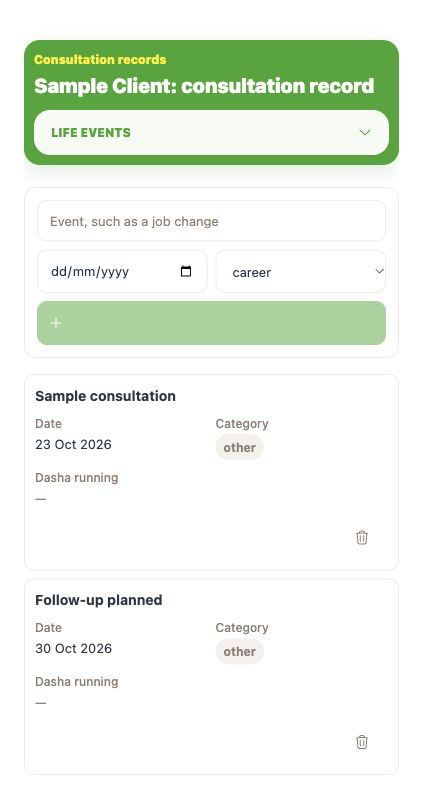
Bring client notes, consultation history and follow-ups into the same product as your kundli, dasha, transit and report tools.
Keep the practical work of a consultation within reach, from the first booking to the next follow-up.
Consultation modes describe the service you offer. Bodhlok does not provide a built-in video-call room.
Practice setup begins with a private draft. Completing setup does not automatically publish your page or activate payments.
Add your name, photo, experience, languages, specialties and a bio that helps clients understand your practice.
Choose consultation modes, durations and fees. List video, audio, chat or in-person services to match the way you work.
Set weekly availability and your time zone, then add extra days or block time when your schedule changes.
Submit your profile for review. Before taking online payments, complete the payout verification and payment setup required for your practice.
When bookings are enabled, share your published page, manage incoming requests and follow the consultation through to your earnings record.
Business tools are available through eligible plans. Compare Sadhak and Acharya for the tools and limits your practice needs, and ask the team about current setup and booking availability.
Platform fees, payment deductions, payout timing and cancellation terms depend on the applicable offer and configuration. Review the terms shown for your practice before accepting paid bookings.
No. Your practice starts as a private draft and must complete the review and publication process. Practice registration must also be enabled for your account and environment.
Guest booking is supported. Clients provide contact details so their request and booking updates can be managed. Availability depends on the published practice and enabled booking services.
Yes. Set your consultation types, durations, prices and availability. Choose automatic confirmation or manual acceptance for booking requests.
Where enabled, Razorpay handles online checkout and the configured payout arrangement. Your payout account must be verified. Confirm applicable deductions and settlement terms with the team; this page does not promise a fixed payout date.
No. You can list a video consultation as a service, but Bodhlok does not host the call. Agree the meeting arrangements with your client.
Access depends on ownership, account permissions and any team roles you use. Read the Privacy Policy and review the access you grant within your practice.
Review the terms presented for your practice and each booking. Ask support to clarify applicable charges and cancellation terms before you offer paid consultations.
Explore published profiles by language and specialty, read available booking reviews and check consultation slots. Guest booking is available where the practitioner is accepting bookings.
Explore astrologersTell us how you practise. We’ll help you understand the tools, access and setup available to you.