AstroSage is one of India's largest consumer astrology platforms: a website and app with quick kundli generation, horoscopes, matching, Panchang and a marketplace for consulting astrologers, with technical tables such as Shadbala and Ashtakavarga available too. Bodhlok is built only for practitioners: a browser desk where dashas, transits, divisional charts, client notes and a consult that shows
Two products for two audiences
Most astrologers in India have opened AstroSage at some point. It is fast, free to start and available everywhere, and a student often makes their first chart there. The question practitioners ask is different: is it the right tool to sit in front of during a paid consultation?
The honest answer is that AstroSage and Bodhlok are built for different people. AstroSage serves the public first: people who want their own kundli, a horoscope or a call with an astrologer. Bodhlok is deliberately professional. It was conceived by Alok Khandelwal after 25 years of practising and teaching, and refined over 18 months by hundreds of his students working on real charts.
What AstroSage does well
- Reach and speed. A chart in seconds, on the web or the app, with almost no learning curve.
- A large free tier. Many calculations are available without paying, which makes it a common first tool for students.
- Technical tables. Its app lists divisional charts (Shodashvarga), Shadbala, Ashtakavarga and Prastarashtakavarga, Bhav Madhya and friendship tables.
- Languages. Content and tools are available in Hindi and several Indian languages.
- A consultation marketplace. Astrologers can be listed for calls and chats with the public, which some practitioners use to find clients.
Where Bodhlok is different
- Built for the person reading the chart. No horoscopes, no content for the public, no entertainment features. The screens are arranged for an astrologer following one question.
- Follow the question, keep the whole desk. One native, one calculation profile: D1 with Bhava Chalit and Sudarshan Chakra, D2 to D60 with vargottama, KP with 249 sub-lords, Jaimini, Ashtakavarga with transit strength by bindus, Shadbala and avasthas, all a click apart, with the running dasha period on every screen.
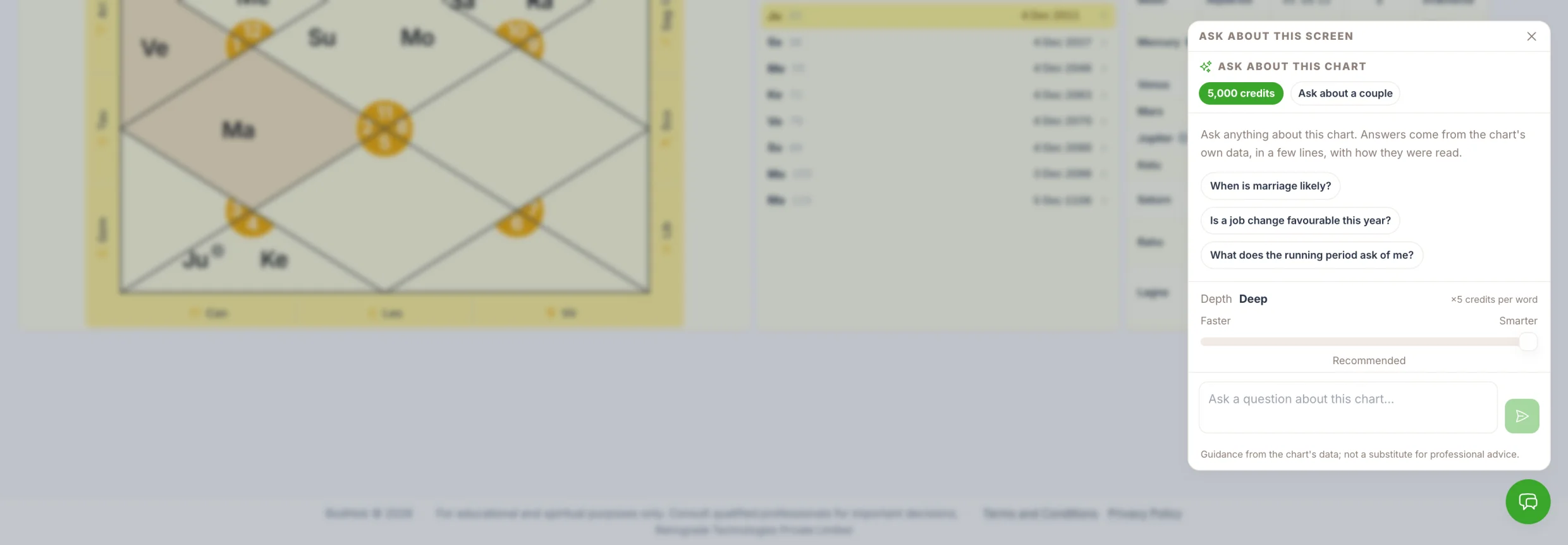
- Readings you can examine. The consult works in four layers: calculation, then classical rules, then the context of the question, and only then language. Every answer lists the chart, dashas, transits and rule it used, so you can open each one and check it. The AI assists your analysis; the judgement remains yours.
- Methods most tools leave out. Bhrigu Nandi Nadi, Panch Pakshi, Tajik Varshaphala with Mudda dasha, Prashna and KP horary by number, and Vivah Muhurat in five stages for both partners.
- Your own practice, not a marketplace's. Client notes, consultation history, follow-ups and family links beside the chart; a public astrologer page with your own services and fees and paid bookings through Razorpay. These tools simplify the work around a consultation; they do not promise clients or income.
Side by side
AstroSage | Bodhlok | |
|---|---|---|
Built for | The public, and astrologers | Practising astrologers, students, teachers |
Getting started | Free, instant | Free desk, then Sadhak or Acharya plans |
Charts and strength | Shodashvarga, Shadbala, Ashtakavarga | Same, plus varga strength, avasthas, transit bindus, layer chips |
Dashas | Vimshottari and others | Vimshottari, Ashtottari, Yogini, Chara to the pratyantar, current period on every screen |
AI | AI features aimed at the public | A consult for the astrologer that lists what it read |
Client work | Saved charts | Notes, history, follow-ups, family links, bookings |
Your public presence | Listing on its marketplace | Your own astrologer page and booking calendar |
Teaching | Individual accounts | Seat blocks of fifty or more for a batch |
Which one fits
Use AstroSage for a quick chart on the go, for its large free toolset, or if you want to be listed on a consumer marketplace.
Use Bodhlok when the chart is in front of you and a client is waiting: when you need the dasha, the transit and the D9 together, notes from the last consultation, and an explanation you can check before you speak.
Many astrologers keep a consumer app on their phone and do their consultation work at a desk built for it.
Try it on a sample chart
Open your free desk at bodhlok.com, load a sample chart, and follow one career or marriage question from the chart to the dasha, the strength and the rule. Start free. Bring your first chart to the desk.
Frequently asked questions
Is AstroSage good for professional astrologers?
AstroSage is fast and has many technical tables, so it is useful for quick reference. It is built mainly for the public, though, so a practitioner may want a desk designed around consultations, client notes and checkable reasoning.
Is there professional astrology software like AstroSage but for astrologers?
Bodhlok is browser-based software built only for practitioners: Parashari, KP and Jaimini charts, dashas to the pratyantar, transits, client records and a consult that shows the chart, dasha, transit and rule it used.
Can I keep client notes in AstroSage?
AstroSage lets you save charts. Bodhlok adds client notes, consultation history, follow-ups and family links in the same product as the chart.
Does Bodhlok work in Hindi like AstroSage?
Yes. Bodhlok has a Hindi interface and Hindi consult answers on every plan.
Compare on a real chart
Open a free desk, bring a sample chart, and see the calculations, timing tools and consult side by side with whatever you use today.